Fix a day that doesn't work
Hand one event to another driver, change the time, or skip one, and we check the day again at once.
A day with a conflict can't be driven as planned: the drive doesn't fit, or two things overlap. We show you what fixes it, and check the day again at once.
Who can do this: an Editor, someone who can change the schedule, or the Owner, the one person in charge. A Viewer, someone who sees the schedule and changes only their own things, doesn't see Fix it. The day's page says who to ask, right above its times.
You can hand over one event: give it to another adult to drive. You can change the time: be there a few minutes less early. Or you can skip one: take it off everyone's day.
Tap Conflicts at the bottom, then tap the day. On a tablet or computer, it's on the left.
Under the date, it says This day does not work, then Our pick: the one change we'd make. Tap Fix it.
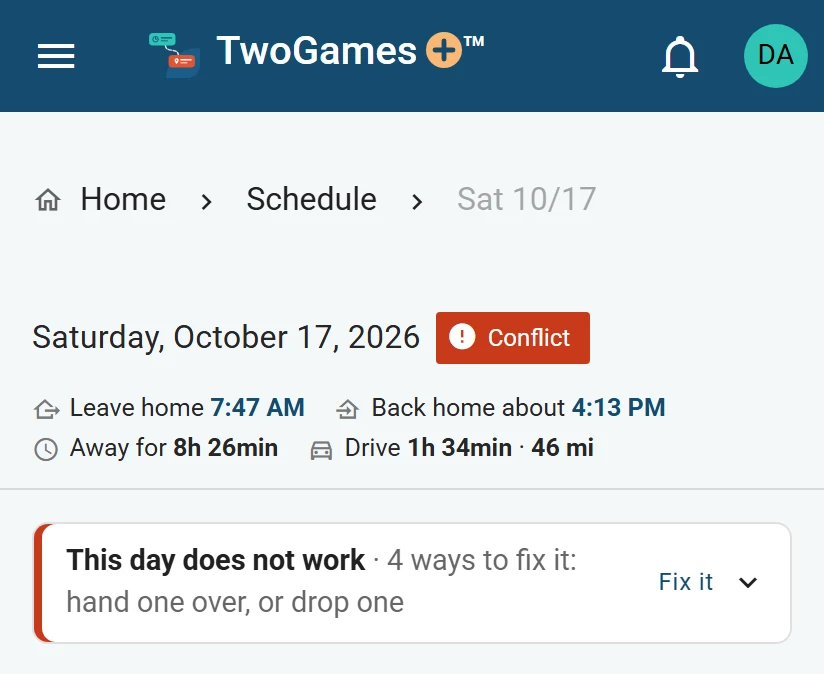
A day that doesn’t work says so, with Fix it. Our pick is at the top, with why. Tap its button, such as Use this, or Use both for two changes together.
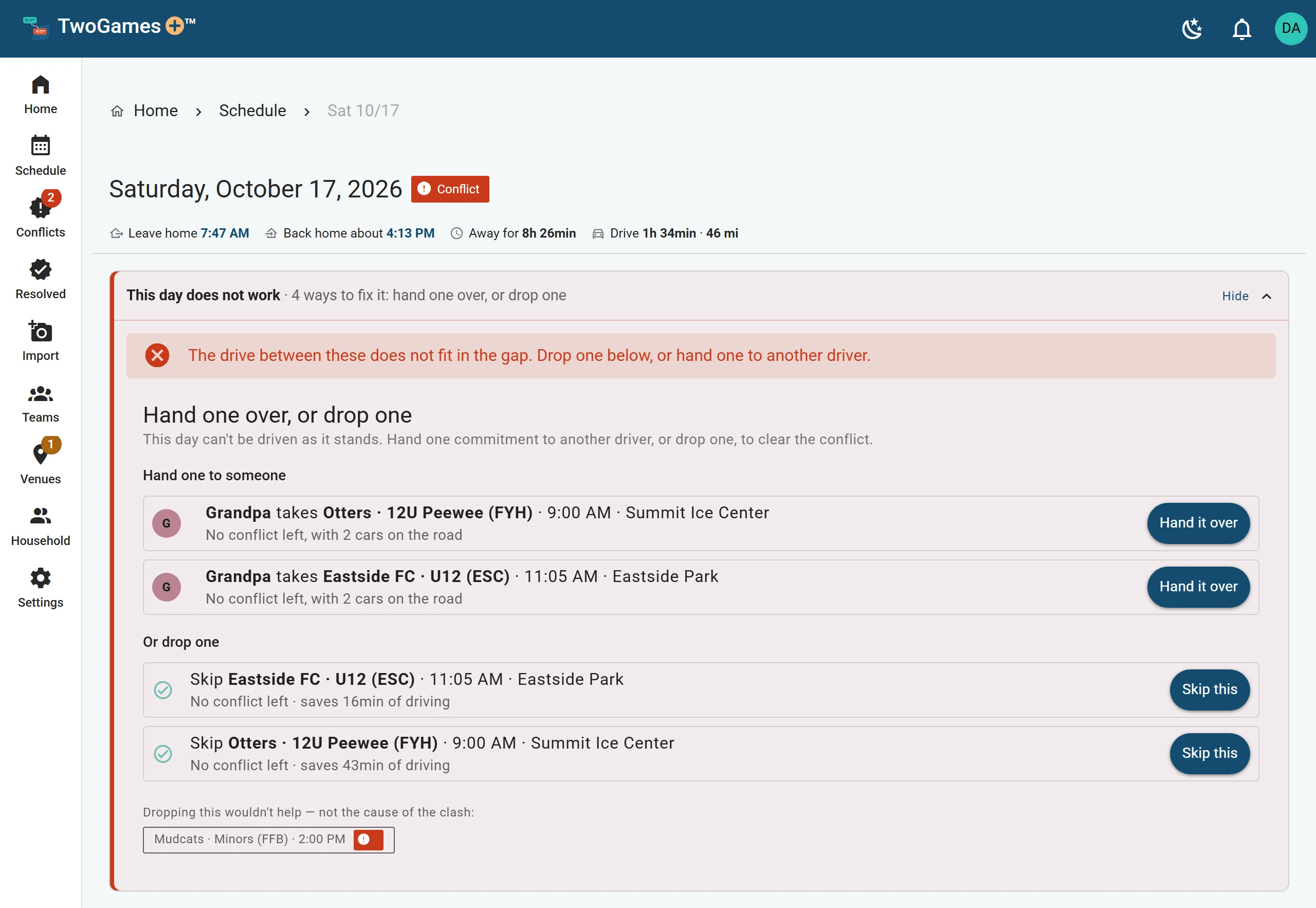
For the other ways, tap Other ways to fix it: a hand-over, a time change, or a skip.
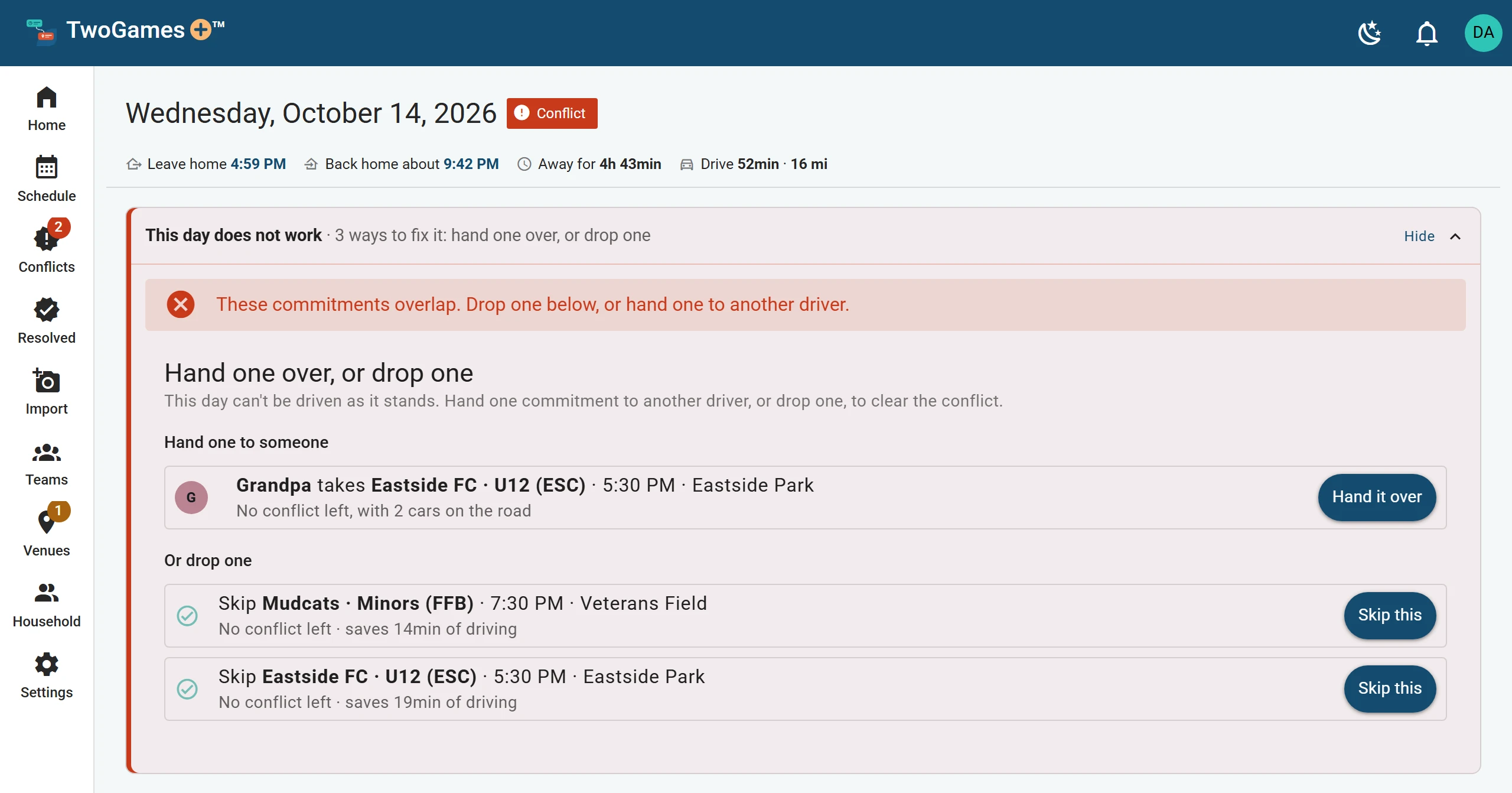
Only the hand-overs that fix the day are offered. The line under the date now says Your plan for this day. The day is resolved: a day you fixed.
To undo it, tap Undo — go to everything. If you don't see it, tap Change first.
What you'll see
Every fix with a button says No conflict left. Skips that wouldn't help are under What else we checked.
Our pick
Two changes together can keep every game: another adult drives one, and you arrive later at another.
When nothing ranks two clashing games, we ask which to skip. When three of a child's things overlap, we ask which one they go to. Which games come first says how to rank your teams.
After a time change
The day has no conflict left, so it isn't one of your resolved days. A note at the bottom has Undo. Later, tap Put back … min on the game.
When one change isn't enough
When no change clears the day, the line under the date says No single change fixes it. You may need to skip more than one, or invite another adult who can drive.
Did a change not stick? See It says a change couldn't be saved. Or write to support@twogamesplus.com, and a person will help.
What to do next
- Skip a game or practiceSkip anything you won't go to, and the rest of the day is checked again.
- Let someone else drive a gameHand over a game or practice to another adult, and we check each car on its own.
- Resolved days, and changing your mindSee the days you fixed and how, and undo a fix until the day is done.
Still stuck?
Write to support@twogamesplus.com and a person will answer.